
Warranty decisions
A unit on a warranty return shows its claim number on the unit’s screen. After you choose a grade, you also approve or reject the claim, in the Warranty section.
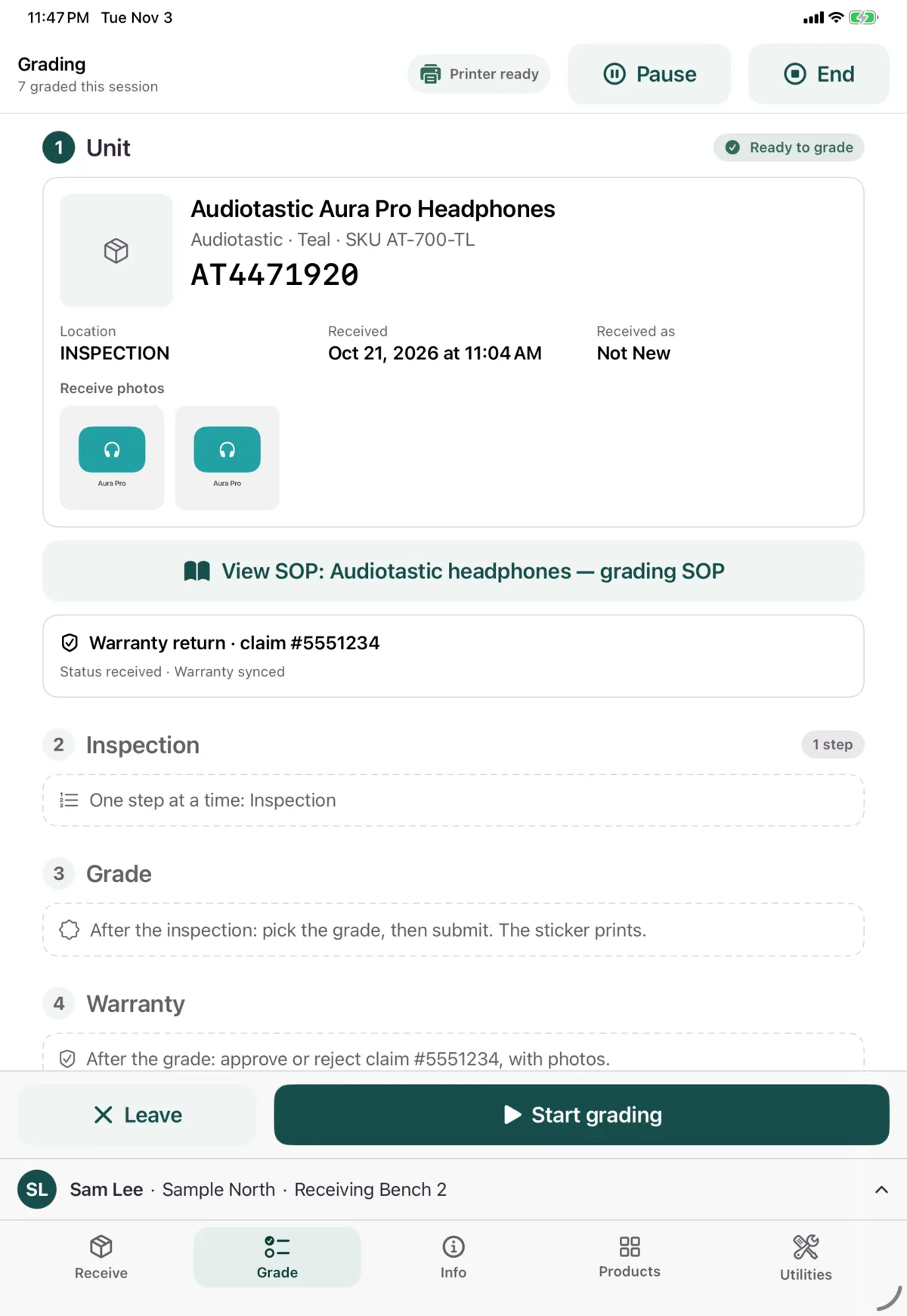
You can’t submit until the decision is complete. The bar at the bottom says what’s missing.
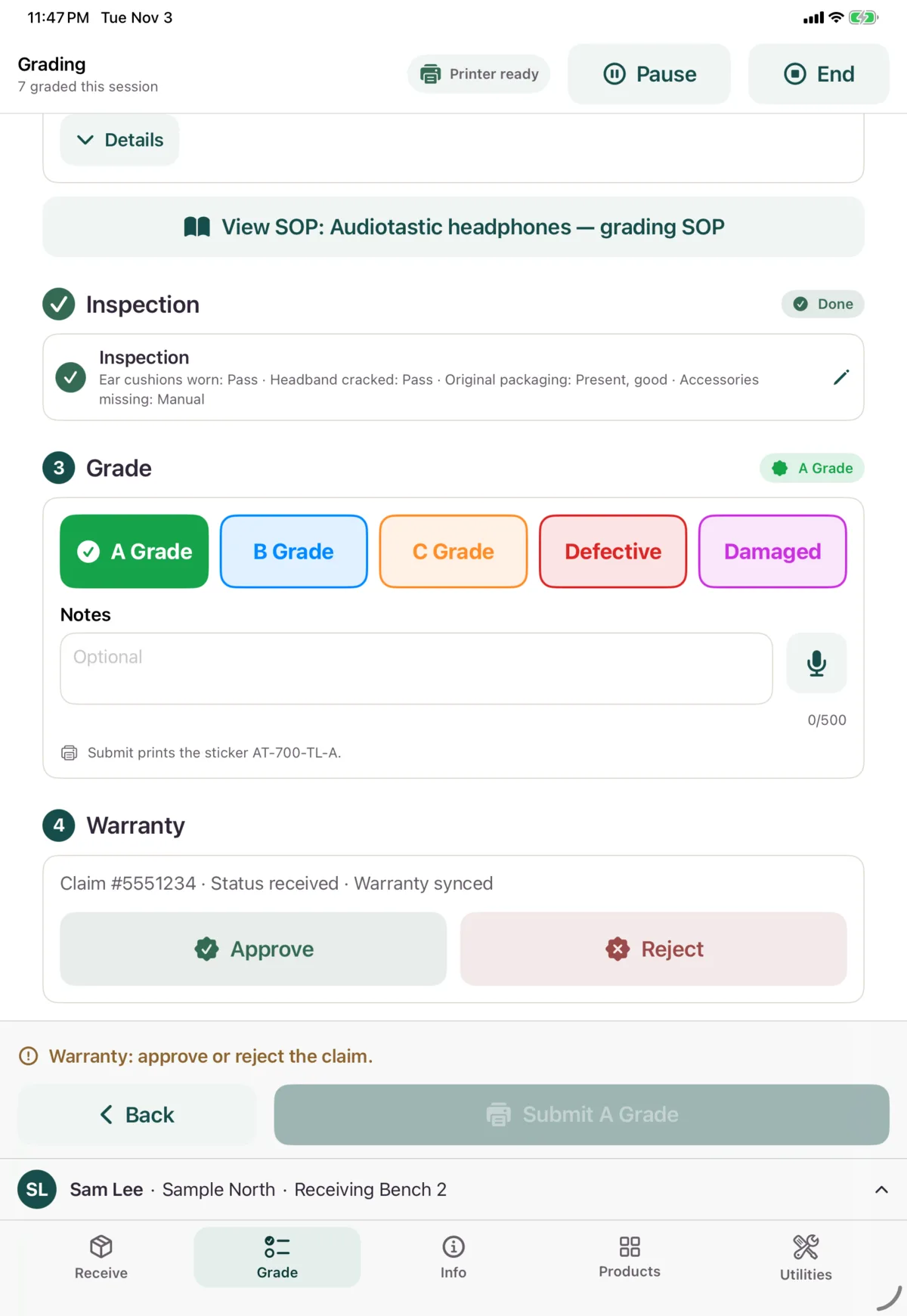
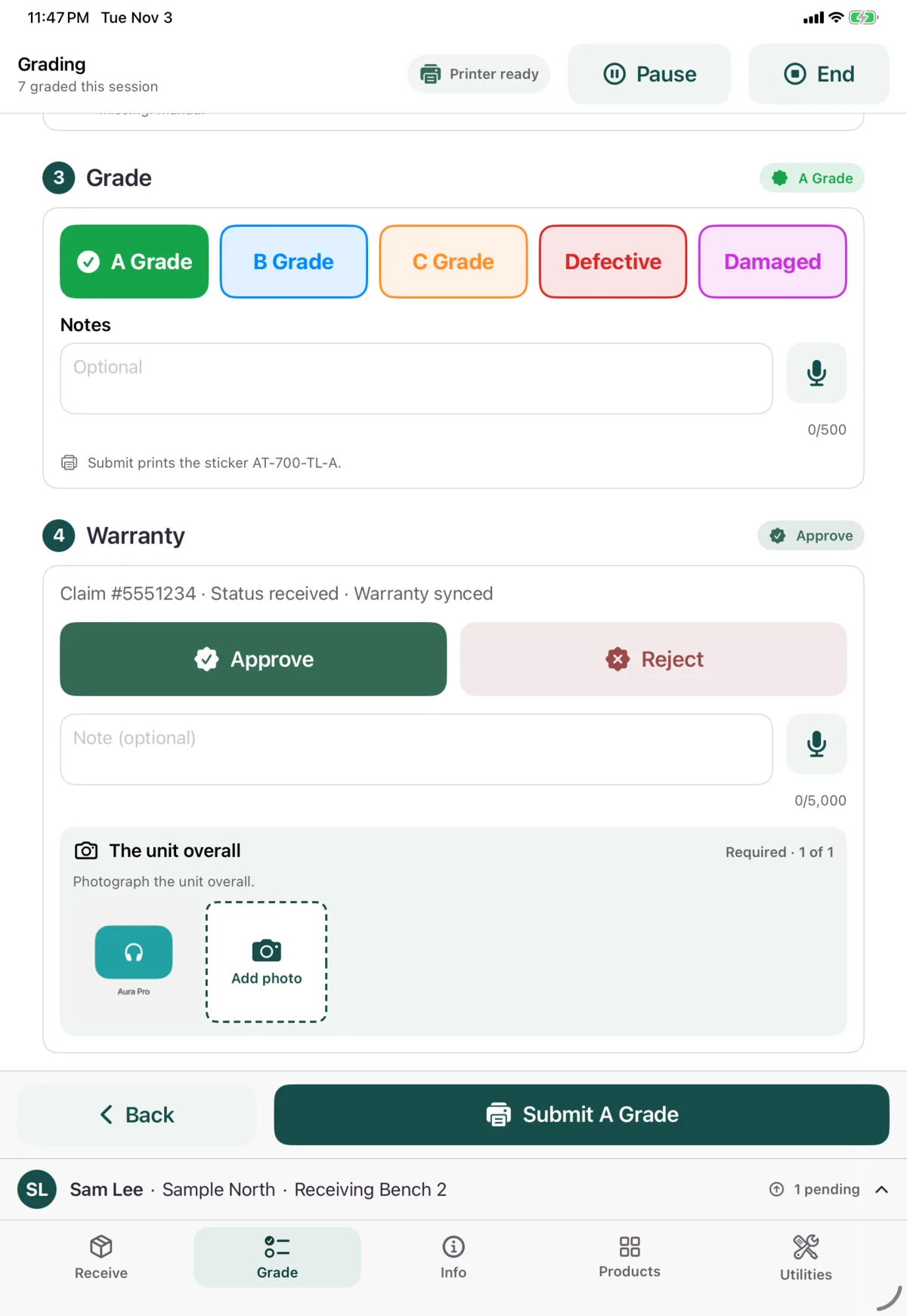
Approve
Tap Approve and take at least 1 photo of the unit overall. A note is optional.
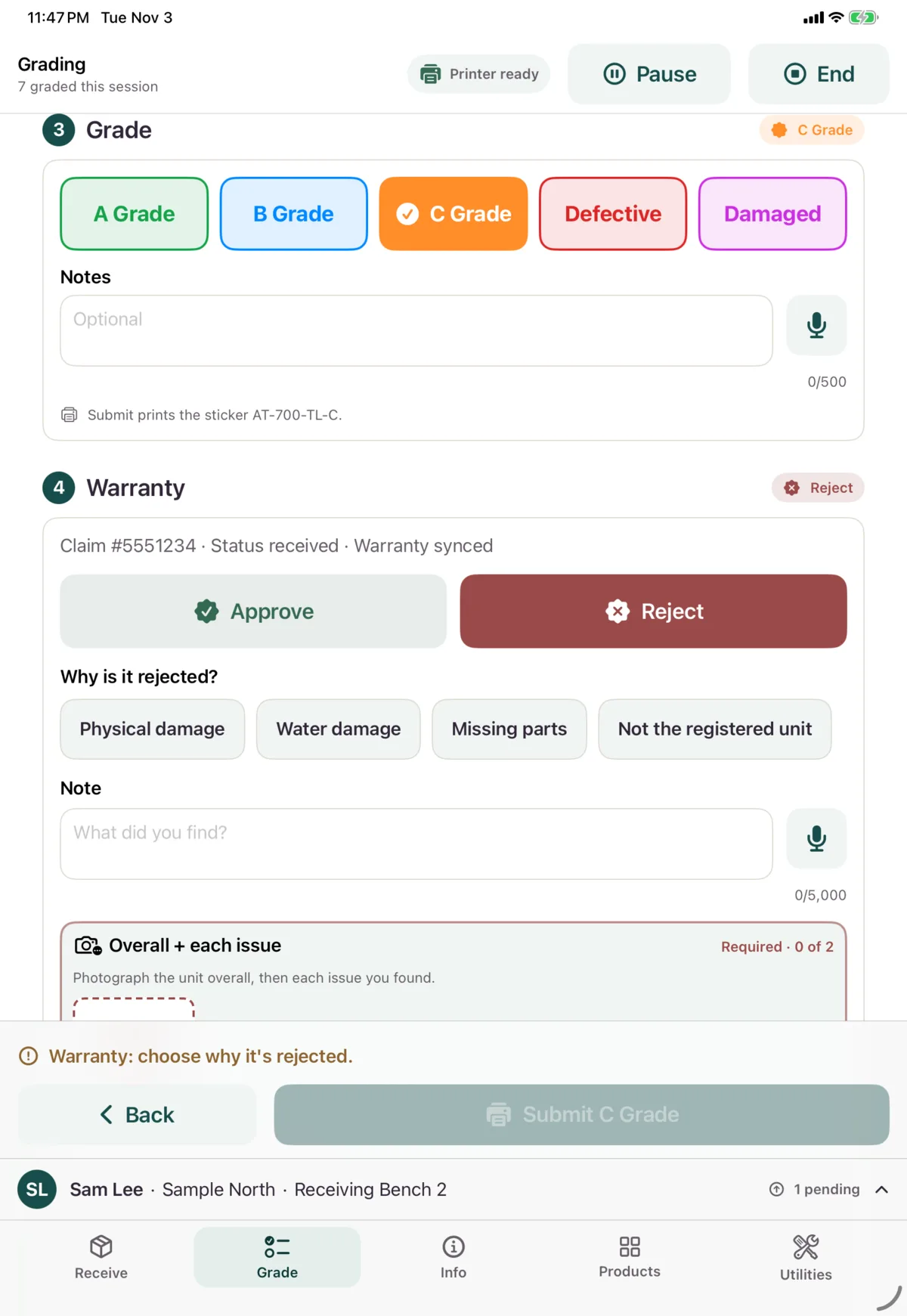
Reject
Tap Reject, then:
- Choose why, if the product has rejection reasons.
- Add a Note on what you found.
- Take at least 2 photos: the unit overall, then each issue you found.
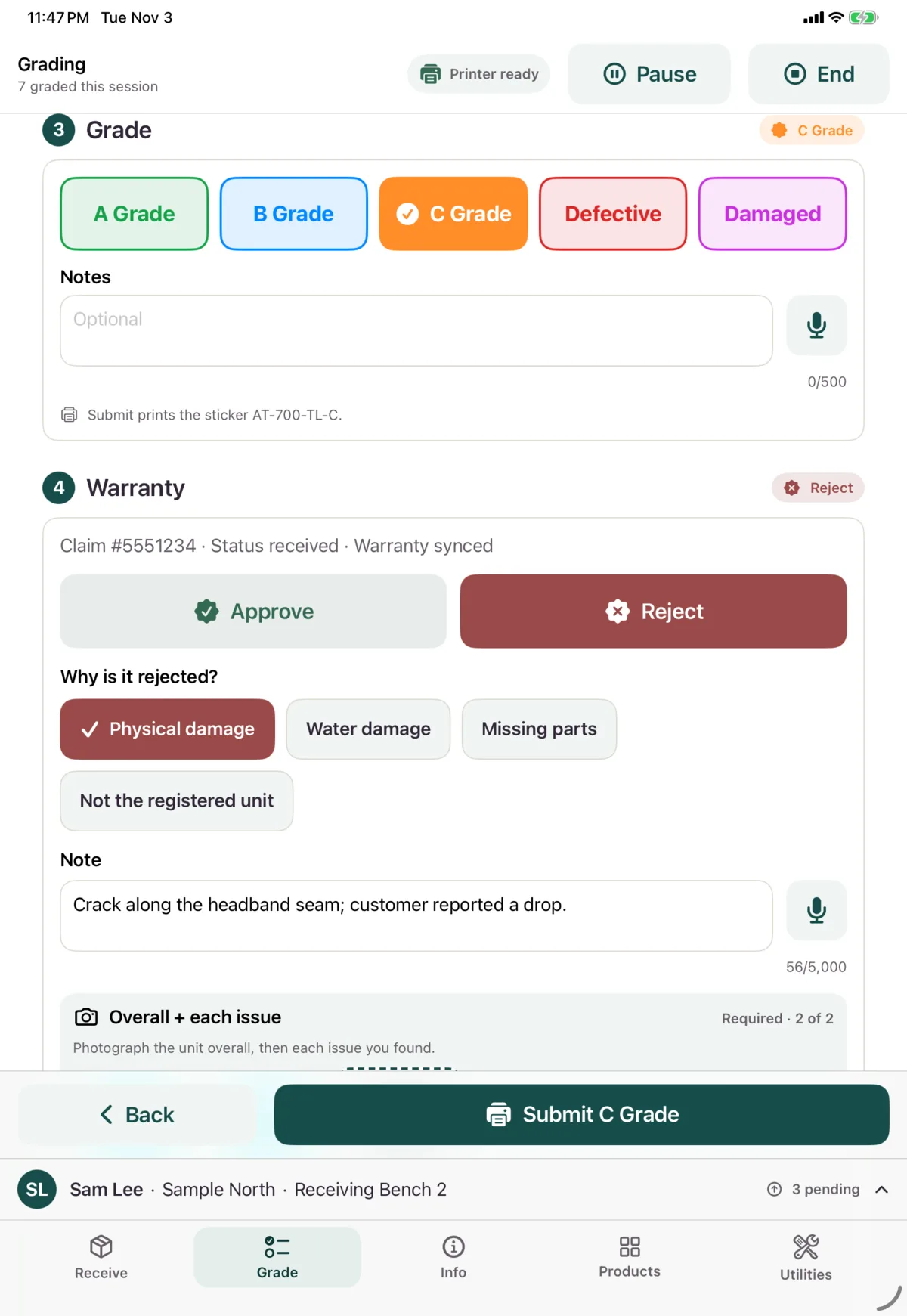
If you change your mind, your photos carry over to the other decision. To replace a warranty photo, tap it and choose Retake. To add a note by voice, tap the microphone.
After you submit
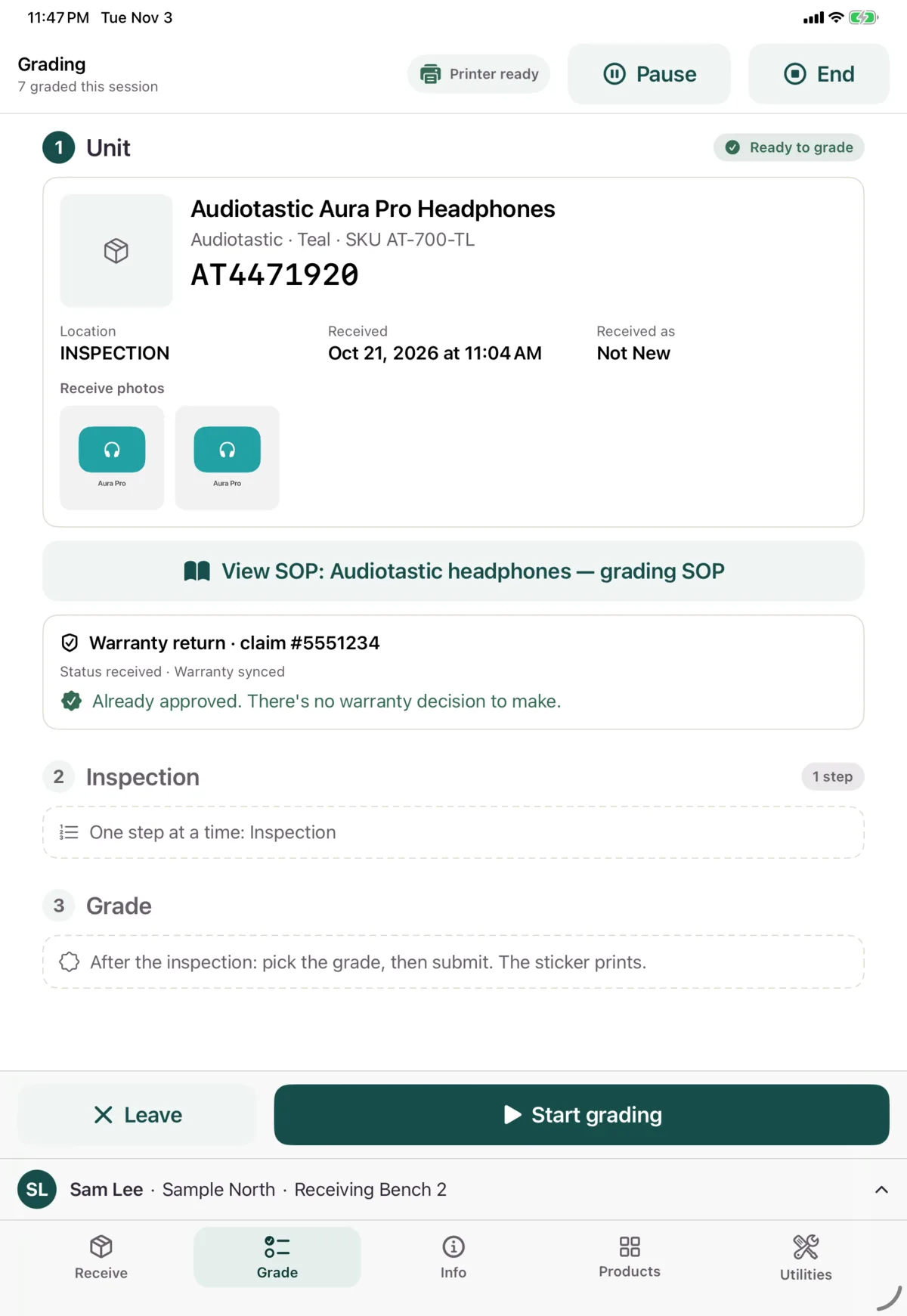
The decision is sent after the grade. If the claim has already been decided, you’ll see that on the unit’s screen, and there’s no decision to make.
If Nok refuses a decision, it appears as a card you can fix. See Stickers and refused grades.
Next: Regrade, resume or leave