
Add to the catalog
Any worker can help improve the catalog. Everything you add is checked by the catalog team.
On a product’s details, look for Improve the catalog.
Add a photo
Tap Add photo, take the photo, then Use photo. It appears after the next catalog update. This works offline.

Suggest a code
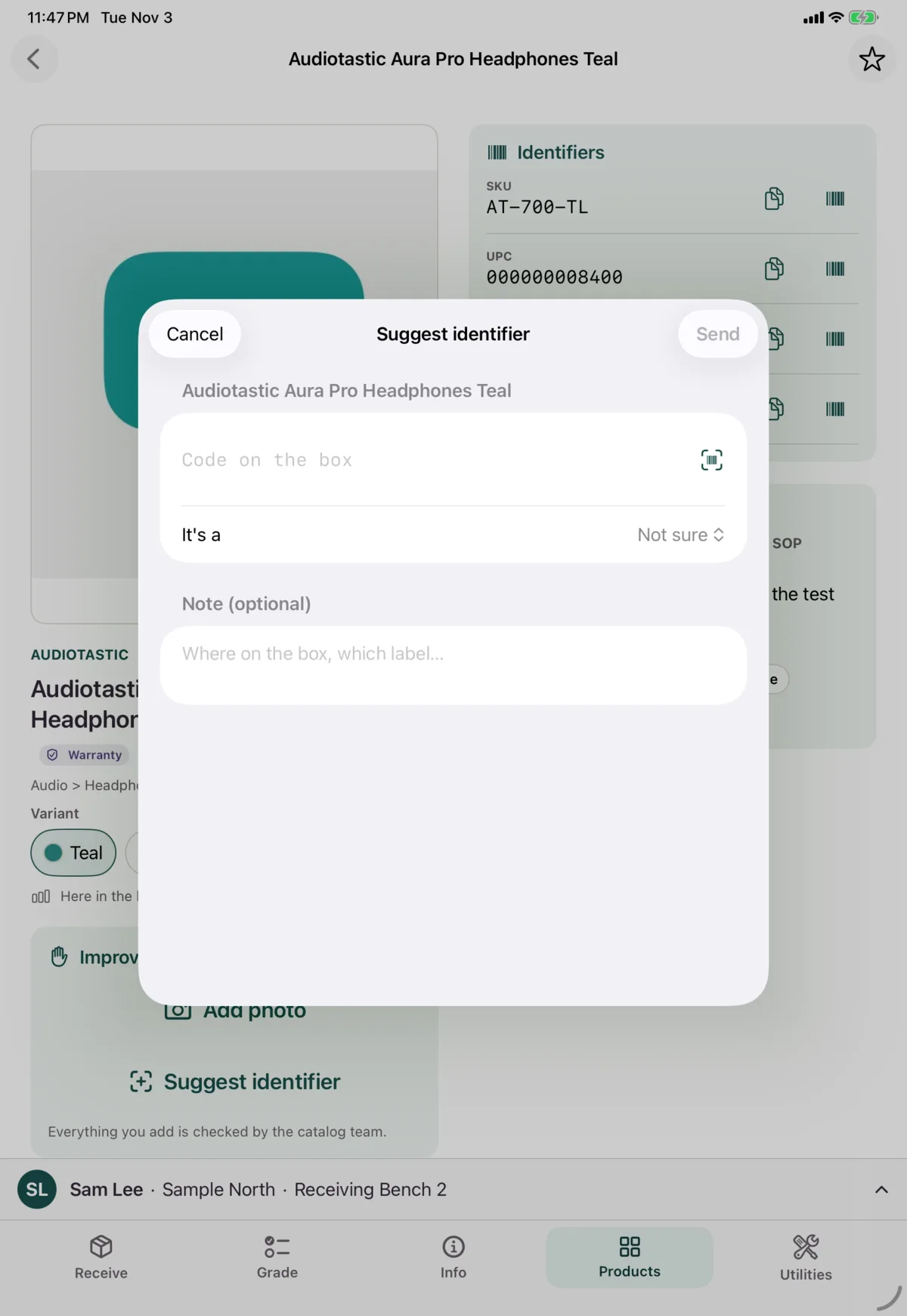
If a box has a code Nok doesn’t know, tap Suggest identifier. Enter or scan the code, choose what kind it is if you know, add a note if it’d help, and tap Send. This works offline.
Quick-create a product
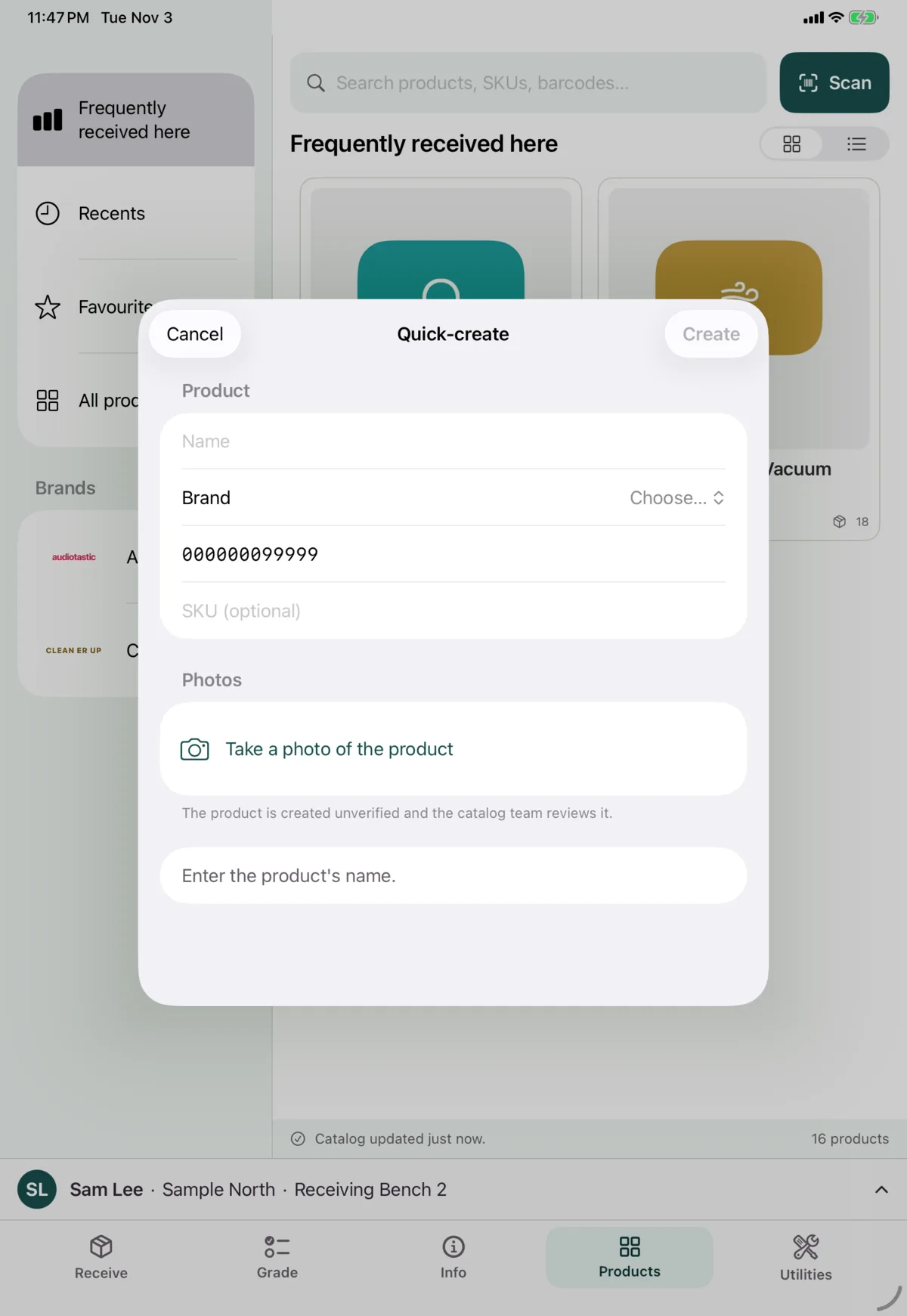
If a scan finds nothing, tap Quick-create the product. You need a name, a brand, a UPC and at least one photo. The SKU is optional. Tap Create.
The product is created as unverified, and the catalog team reviews it. This needs a connection.
While receiving, use Create product instead.
Next: Look something up